 Musclebot
✦ AI-powered Gym tracker for iPhone
Say your sets.
Musclebot does the rest.
Log a set by saying it, check it in one tap, and let on-device AI turn your workouts into insights and answers. Everything stays on your iPhone.
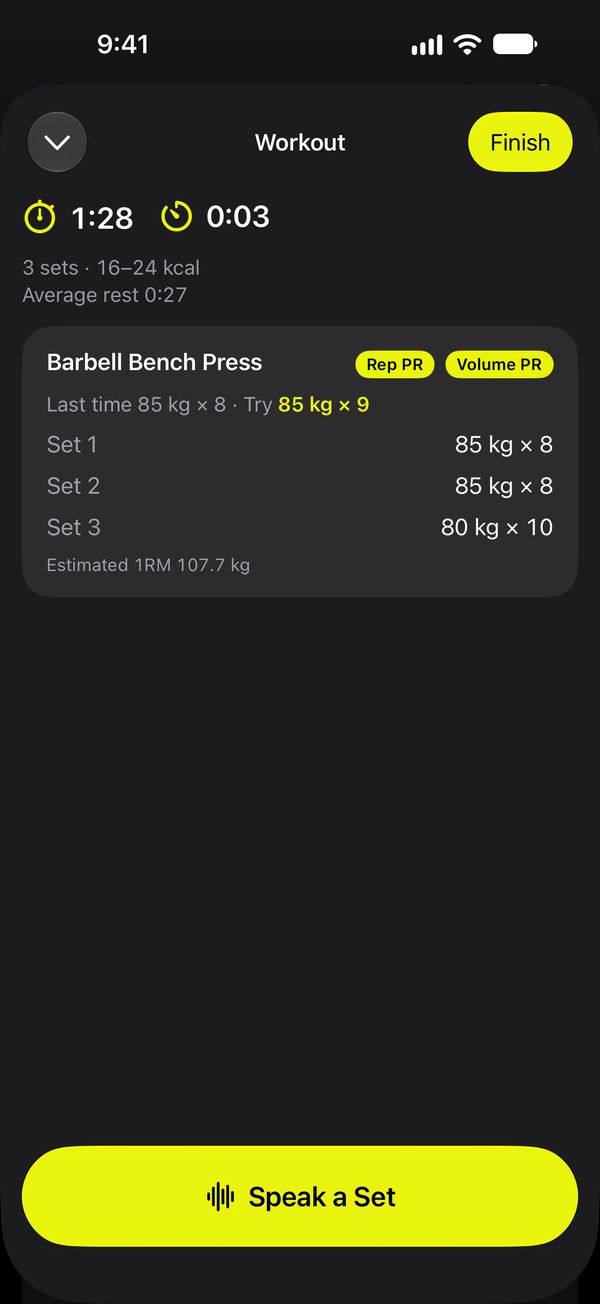
Logging that keeps up with your workout
No forms, no scrolling through menus between sets. Tap the waveform and talk the way you already do.
Start a workout
One tap. Your session timer, rest timer and Live Activity begin.
Say the set
“Bench, eighty kilo, eight reps.”
“Same again”, “drop to 70, got 10” and notes like “left shoulder felt off” work too.
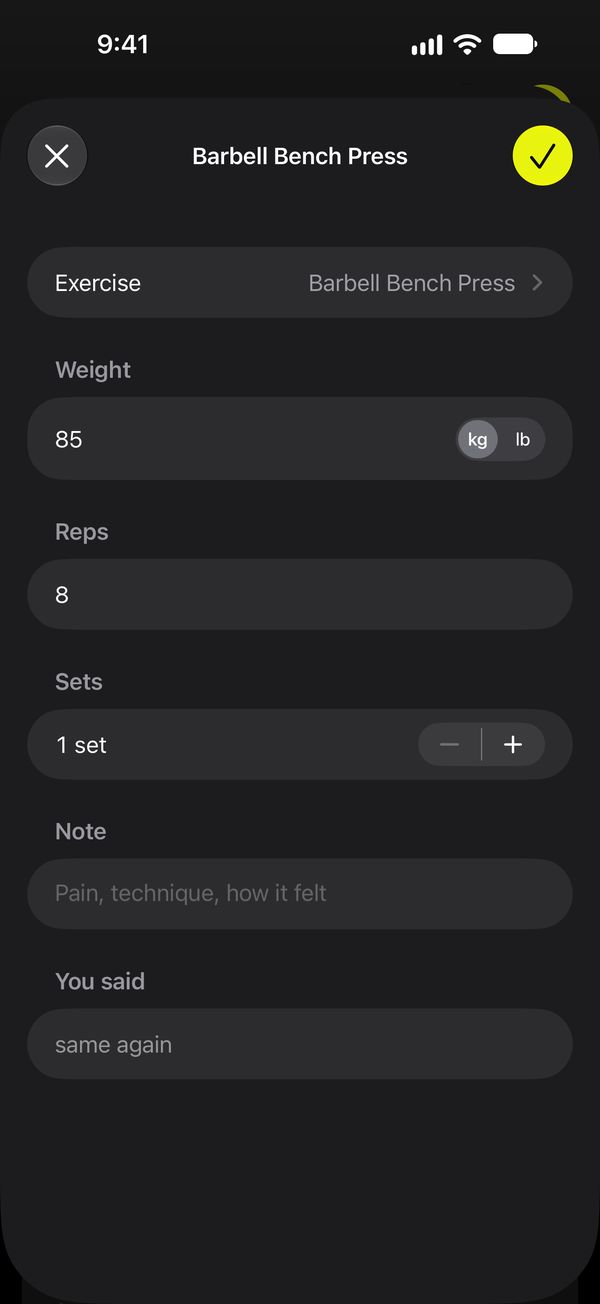
Check it, tap ✓
The set appears filled in. Change anything, or tap ✓ when it's right. Missing weight comes from your last set.
✦ AI-powered
An AI that knows your training
Musclebot uses the AI built into your iPhone. It understands how lifters talk, explains your week, and answers your questions from your own workouts, without sending anything to a server.
Understands how you talk
“Did three sets of ten on the cable row with sixty” becomes 3 × 10 at 60 kg on Seated Cable Row, ready for you to check.
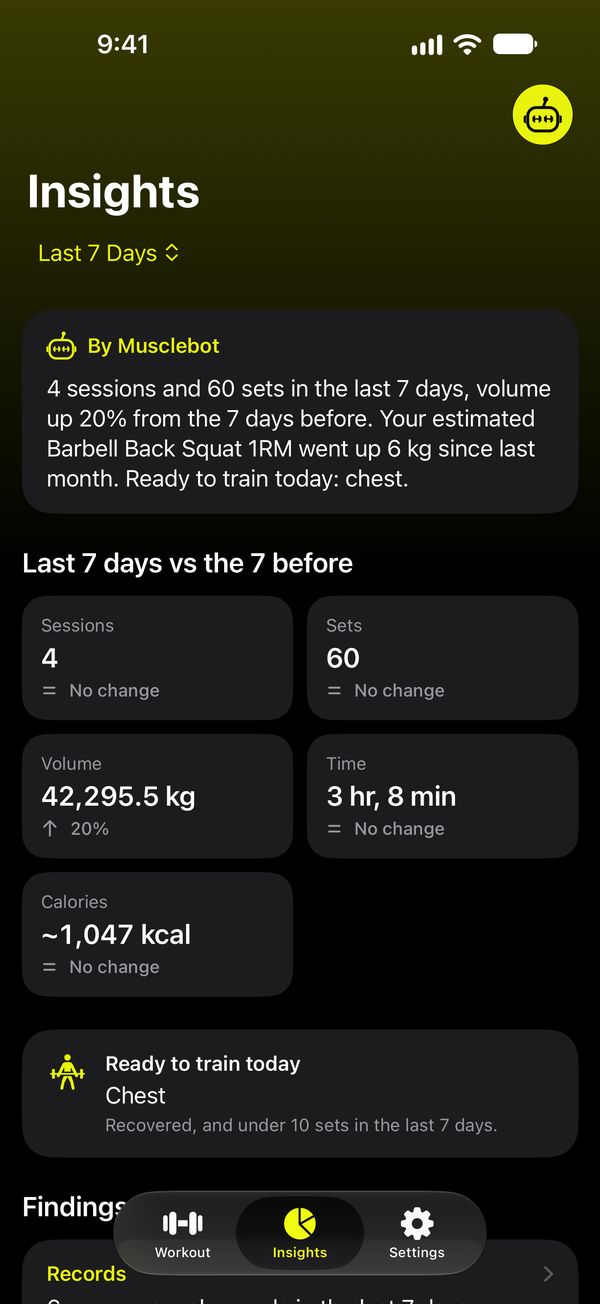
Writes your weekly summary
A few plain sentences on your week: what moved, what stalled, and what's ready to train today.
Answers your questions
Ask Musclebot “How is my squat going?” and get an answer from your records, trends and recovery.
The AI only puts things into words. Every number, from your records to your weekly sets, is calculated by the app, and an answer with a number that isn't in your data is never shown. AI features need an iPhone that supports Apple Intelligence; logging simple phrases like “bench 80 kg 8 reps” works on every supported iPhone.
Built for lifters who want to progress
The numbers you need, worked out for you, with a clear next step.
Voice first
Speech is recognized on your iPhone, with a vocabulary of 146 exercises and the names lifters really use, from “RDL” to “Pendlay row”.
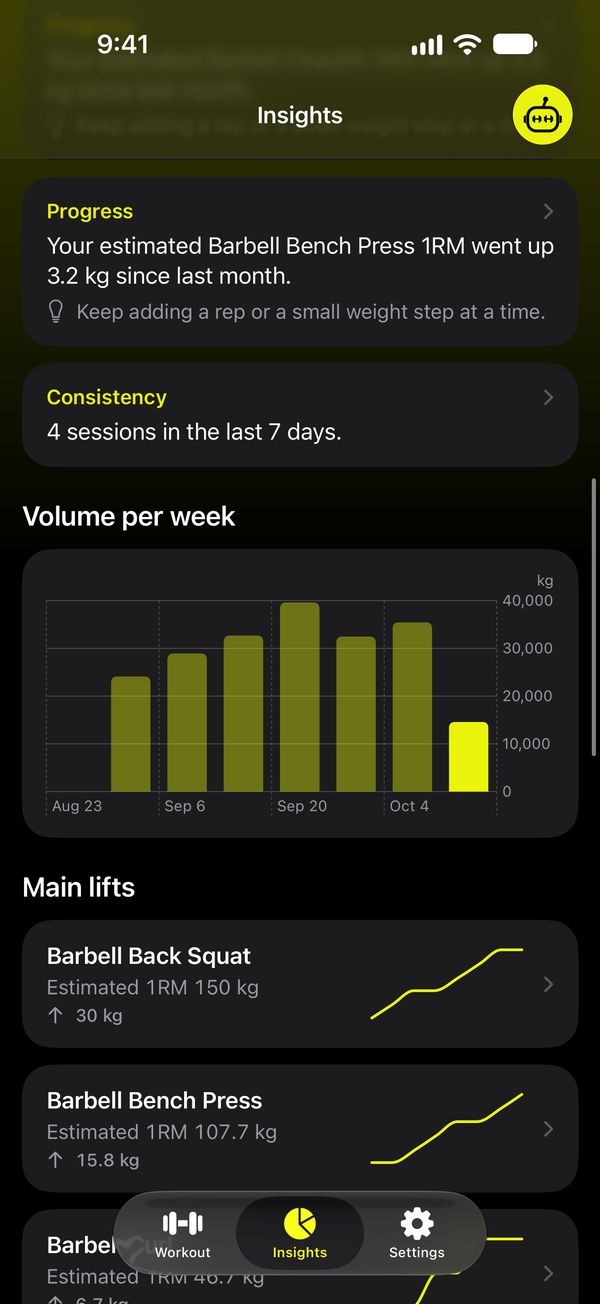
Weekly insights
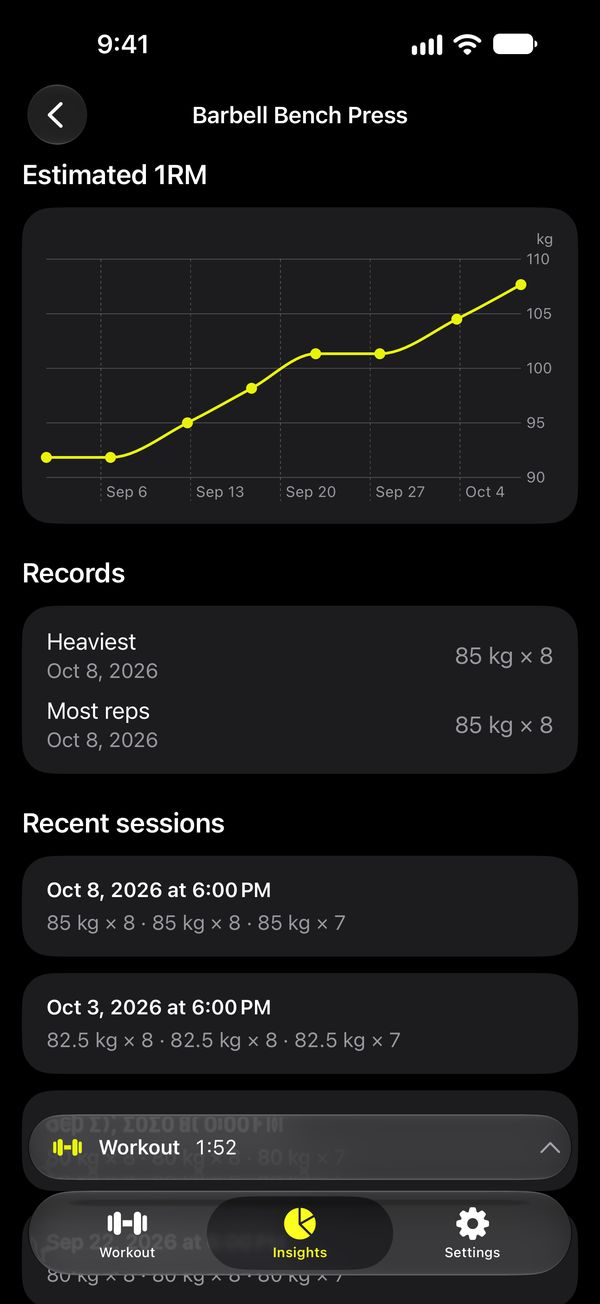
This week against last, progress and plateaus, muscle balance, and sets per muscle against a 10–20 set target.
Ask Musclebot
“How is my squat going?” “What should I train today?” Answers come from your own workouts, on device.
Records and targets
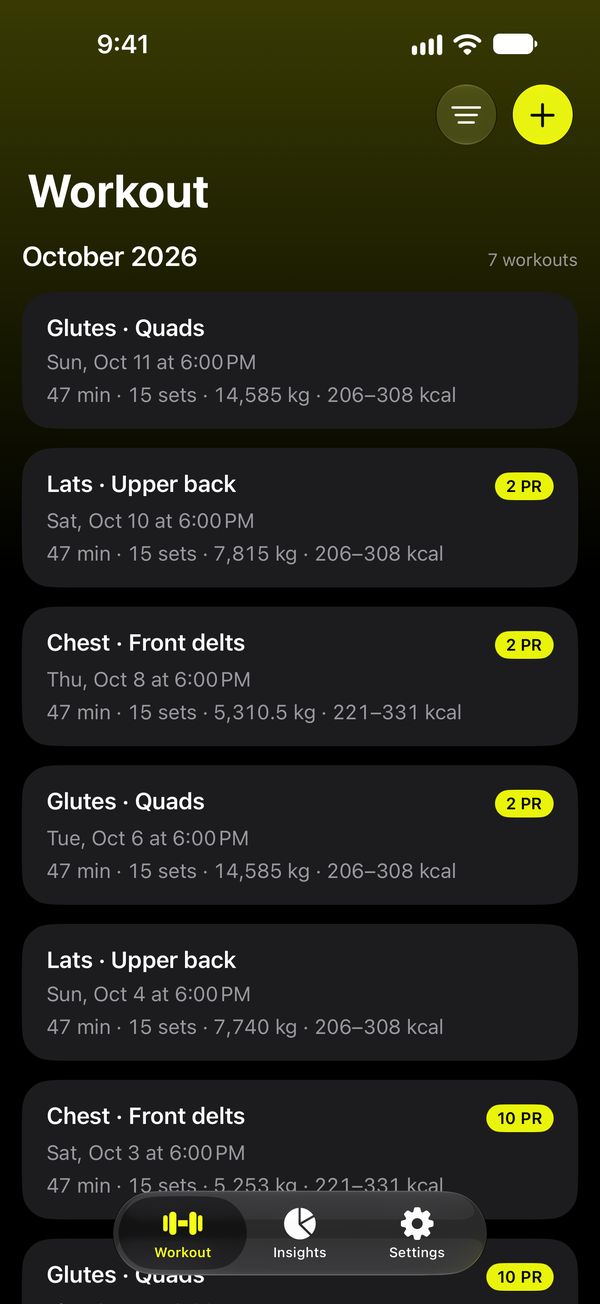
Personal records spotted automatically, estimated 1RM, and a suggested weight from your last session.
Rest timer everywhere
Your workout and rest time on the Lock Screen and in the Dynamic Island, with Finish when you're done.
Apple Health and Siri
Save finished workouts to Health, and log a set with Siri or the Action Button without opening the app.
Your workouts never leave your iPhone
No account, no servers, no tracking. Musclebot works fully offline.
- Speech recognition and the AI run on your iPhone, not in the cloud
- No sign-up, no analytics, no ads
- Export your data as a spreadsheet any time
- Health access is optional and stays on your device
Every feature, free to start
The free plan includes everything. Go Pro when you train more than 8 times a month.
Free
8 workouts a month, every feature included.
Monthly
Unlimited workouts.
Yearly
Unlimited workouts. About 17% less than monthly.
Lifetime
Unlimited workouts, paid once.
Prices in US dollars; your App Store shows them in your currency. Subscriptions renew until cancelled in your Apple account settings.
Questions
Does it work in a loud gym?
Yes. Musclebot listens for the end of your sentence rather than for silence, so music doesn't stop it. If it mishears, you see the set before it's saved and can fix it in a tap.
Do I need an internet connection?
No. Logging, insights and Ask Musclebot all run on your iPhone. Some features of Ask Musclebot and natural-language logging need an iPhone that supports Apple Intelligence; simple phrases like “bench 80 kg 8 reps” work on every supported iPhone.
Can I type instead of speaking?
Yes. “Type Instead” on the listening screen lets you write the set the way you'd say it.
Which iPhones are supported?
Musclebot requires iOS 27.
How do I get help?
Visit the support page or email vubyapp@gmail.com.